If you’ve spent months curating the perfect home theater system—4K projector, immersive Dolby Atmos speakers, a plush screen that pulls you into every frame—you’ve almost missed the most critical step: arranging your furniture right. For years, I’ve worked as a furniture supplier, collaborating with homeowners, interior designers, and even small business owners to turn empty rooms into spaces that balance comfort, functionality, and that “wow” factor when you hit play. I’ve seen too many great systems ruined by couches blocking speaker sound, chairs placed too close to the screen, or walkways so cramped you can’t grab a snack during intermission. This guide isn’t just about arranging furniture—it’s about designing a space that works for every movie night, game marathon, and quiet solo watch session. Furniture
First, let’s start with the basics: the foundation of your room’s layout, not just what pieces you pick. Every home theater has a “sweet spot”—the exact center of the viewing area where your eyes and ears will pick up the clearest sound and sharpest image. A lot of people skip this step and move couches around randomly, which leads to most guests sitting in less-than-ideal positions. As a furniture supplier, I always advise measuring your room first, not your furniture. Measure the distance from your screen (whether it’s a projector screen or a flat-panel TV) to the back wall opposite the screen. For standard 1080p projectors, the ideal viewing distance is 1.5 to 3 times the screen’s diagonal length. If your screen is 100 inches, that means sitting 150 to 300 inches (12.5 to 25 feet) away for 1080p, and 1 to 1.5 times the diagonal for 4K or 8K screens, so 8.3 to 12.5 feet for that same 100-inch screen. That math isn’t arbitrary—sit too close, and you’ll strain your eyes looking at individual pixels; sit too far, and you’ll miss the immersive detail that makes home theater worth it.
Once you have that distance marked, your main seating (the biggest furniture pieces) need to align so every seat is within that sweet spot range. I see this mistake all the time: homeowners push a sectional against the back wall, then place chairs on the sides, only to have the side chairs too far from the screen to enjoy the movie properly. As a supplier, I design our home theater furniture lines with this in mind—modular sectionals that can be pulled forward or arranged to fit any room size, not just standard 12×12 spaces. That flexibility matters because not every home theater is a perfect rectangle. If you have a smaller room, say 10×12 feet, you don’t need to squeeze in a 10-person sectional; instead, pair a compact loveseat with two swivel chairs and a console table for snacks, all arranged so every seat is within the ideal viewing distance.
Next, speaker placement, which ties directly into how you arrange furniture. Dolby Atmos and surround sound systems rely on speakers being positioned at specific angles to create that 3D audio effect, and furniture can either help or ruin that. Center channel speakers, which handle dialogue, need to be directly below or above your screen, not blocked by a coffee table or sofa. That means your coffee table—if you have one in the main seating area—should be low enough to not block the center speaker, or ideally, placed slightly off to the side to clear the line of sight. For side surround speakers, they should be 2 to 3 feet above ear level, so don’t place a tall bookshelf in front of them; instead, position your side chairs so their ear level aligns with the speaker height, and leave at least 3 feet of space between the speaker and the back of the chair. I also recommend avoiding large, sound-absorbing furniture like thick fabric sofas directly in front of rear speakers—rear surround sound is what lets you hear a car approaching from behind in a chase scene, and a plush sectional can muffle that effect completely.
Now, let’s break down layout options by room size, because one size doesn’t fit all. For large rooms (15×20 feet or bigger), the classic “theater row” layout works best. This is where you have a main row of seating (a large sectional or three to four individual recliners) positioned along the back wall, angled slightly upward toward the screen so no one’s view is blocked. Then, add a second row of smaller seating—maybe two rocking chairs or a compact loveseat—positioned in front of the main row, with a 3-foot aisle between rows for walking. I supply modular theater seating that’s built for this exact layout; you can adjust the angle of each seat to fit multiple rows, and some even have built-in cup holders and USB ports, which are perfect for long movie nights. For extra comfort, leave 18 inches between the front of the main row’s seats and the back of the second row’s seats, so people can stretch their legs without bumping into the person in front.
For medium rooms (12×15 feet), you don’t have to limit seating to just rows. A popular option is the “L-shaped sectional” layout, where the long side of the L faces the screen, and the short side wraps around to create a cozy corner for two people. This works because every seat in the L is within 10 feet of the screen, so no one is left too far back. I often advise customers to pick a sectional with reversible chaise, so if they move their furniture later, they can flip the chaise to the other side without buying a whole new piece. Another option for medium rooms is the “central console layout”: place a large sofa in the center, facing the screen, with two armchairs on either side, and a narrow coffee table between the sofa and chairs. This is great for small groups, as everyone has a direct line of sight and easy access to the table for snacks.
For small rooms (10×12 feet or smaller), the biggest challenge is fitting seating without making the space feel cramped. Here, skip the large sectional entirely—opt for wall-mounted recliners or compact loveseats that tuck against the walls, leaving the center of the room open. Another trick I use with small room clients: arrange a single sofa and one swivel chair, positioned so the chair can swivel slightly to catch the side surround sound, instead of placing multiple chairs that block walkways. I also recommend avoiding bulky ottomans in small home theaters; instead, use a small storage ottoman that doubles as extra seating when you have guests over, and can be pushed against the wall when not in use.
Now, furniture materials and style, which don’t just affect how the room looks—they affect how it performs. For home theaters, you want furniture that’s durable, comfortable, and designed to minimize light reflection and sound distortion. Plush, high-density foam recliners and sectionals are non-negotiable for long movie nights; no one wants a hard chair after two hours of a blockbuster. But avoid shiny, glossy fabrics like vinyl or leather if you have a bright projector—glare from the screen will be worse on smooth, reflective surfaces. Instead, pick matte fabrics like microfiber or velvet, which absorb light and prevent glare. As a furniture supplier, we stock a line of home theater-specific fabric that’s stain-resistant, so you don’t have to panic if someone spills soda during a action movie. For the back of seating (the part facing the walls), make sure it’s not made of reflective wood or metal—opt for upholstered panels to absorb sound echoes, which can make dialogue hard to hear.
Another often-overlooked detail: walkways and accessibility. Even if you have the perfect seating arrangement, it’s useless if you can’t get to the bathroom or the snack bar without tripping over a coffee table. I always leave a minimum of 3 feet of open walkway along the walls, and 2 feet between furniture pieces in the seating area. If you have small children or elderly guests, widen that walkway to 3.5 feet to make it easy to move around. Also, position snack consoles or side tables within arm’s reach of every seat—no one wants to miss a scene because they have to get up to grab popcorn.
Let’s talk about common mistakes I see customers make, so you can avoid them. First, placing a large entertainment center (with your TV or speakers) too low. A TV mounted 12 inches above the floor might seem fine, but if your seating is at the standard 18 inches off the ground, you’ll have to tilt your head downward for two hours, leading to neck strain. The ideal height for a screen’s center is 42 inches from the floor, so position your entertainment center or wall mount accordingly. Second, overcrowding the room with too much furniture. I once worked with a customer who tried to fit a sectional, two recliners, a coffee table, a side table, and a desk in a 10×12 room—they ended up having to move half the furniture out because there was no space to sit. Third, ignoring sound absorption from furniture. Hardwood floors are great for style, but they reflect sound, making dialogue muddy. I recommend adding a large area rug under the main seating area to absorb sound, and pick furniture with fabric upholstery instead of leather for the same reason.
If you’re building a custom home theater, there are a few extra furniture touches that elevate the space. We supply custom risers for home theater seating, which lift seats 6 to 12 inches upward so the person sitting behind doesn’t block the view. This is perfect for multi-row layouts, as it lets every seat have a clear line to the screen. For dedicated home theaters, we also offer built-in storage consoles that hide Blu-ray players, gaming systems, and snacks, so there’s no clutter ruining the immersive vibe. Another small detail: add accent lighting under furniture, like LED strips on the bottom of your sectional, which reduces eye strain when you’re in a dark room looking at the screen.
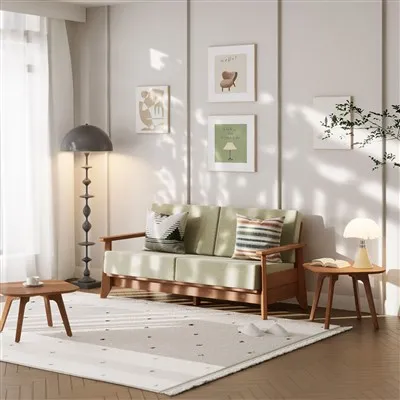
At the end of the day, a great home theater is about balance: comfort, sound quality, and viewability. Every furniture piece you pick should serve a purpose, not just fill space. As a furniture supplier, I’ve seen spaces that started with a random couch and a TV turn into the most popular room in the house, just by adjusting the layout. If you’re planning your home theater and want to pick the right furniture for your space, reach out to my team to discuss your measurements, room size, and preferences. We can help you design a layout that works for your family, whether you love action movies, game nights, or quiet solo watch sessions.
Entertainment References:
- Consumer Reports. (2022). Home Theater Setup Guide: Viewing Distance and Speaker Placement Standards.
- National Kitchen and Bath Association. (2021). Residential Theater Room Layout Best Practices.
- Furniture Industry Research Association. (2023). Performance Specifications for Media Room Furniture.
- Dolby Laboratories. (2022). Atmos Home Theater Furniture Placement Guidelines.
Zhejiang Hanhao Industrial Co., Ltd.
Zhejiang Hanhao Industrial Co., Ltd. is one of the most experienced furniture manufacturers and suppliers in China, featured by quality products and good price. Please rest assured to buy durable furniture made in China here from our factory. Also, custom service is available.
Address: No. 1, East Road, Qixing Street, Nanhu District, Jiaxing City, Zhejiang Province, China
E-mail: admin@hanhaofurniture.com
WebSite: https://www.hanhao-furniture.com/
